No image or blank screen on your Samsung Chromebook
A blank screen on your Chromebook can be caused by a few issues, but fortunately there's usually an easy fix, such as restarting the Chromebook or performing a reset.

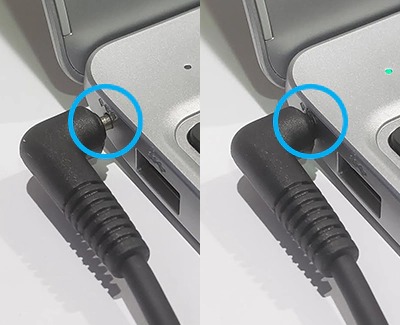
Confirm the power adapter is connected to a working wall outlet, and then connect the power cable to the Chromebook. Make sure the power cable is fully inserted into the port of the Chromebook. You'll see a LED indicator light turn on.
If device still isn't charging, remove the power cable from the charging port on the side of Chromebook, and then unplug the AC adapter from the power outlet. Next, reconnect the power cable to the charging port on the side of the Chromebook, and then plug the AC adapter in to the wall. Allow the device to charge for 30 minutes.

Press Power to turn on the Chromebook.
Remove any external devices that are connected to the Chromebook, including but not limited to:
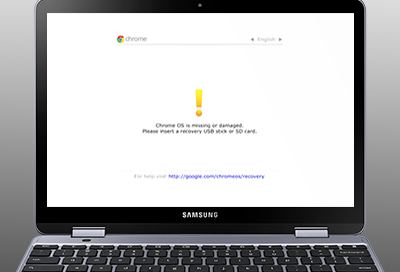
Once the Recovery screen displays, let the Chromebook charge for ten minutes. Then, restart the Chromebook.
Do not perform the on-screen instruction unless the Chromebook is not charging. If you download and insert a recovery USB flash drive or SD card as instructed on the screen, any data stored on the Chromebook will be erased.
Select CONTINUE to visit HP's website.



