Stop sharing photos via link sharing on my Samsung phone
Last Update date : 2025-10-01
Are you noticing your photos are being sent as a web link when sharing via the text message app? If you want to disable this function and solely share the photo as an MMS, follow the below guide for step by step instructions.
1
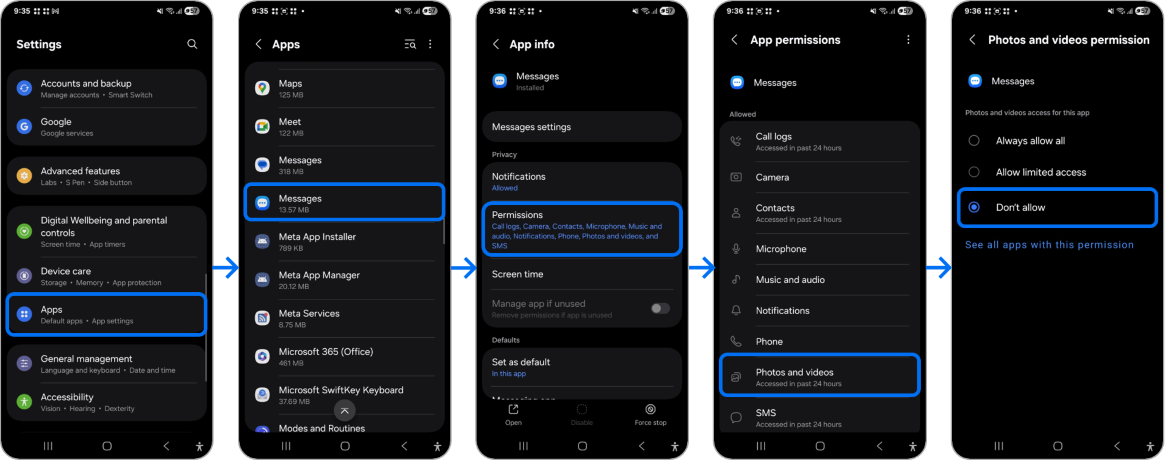
From Settings choose Apps .
2
Choose the  Messages app.
 Messages app.
3
Press on Permissions .
4
Tap on Photos and videos .
5
Tap Don't allow .
Note: If you have any questions after verifying the solutions mentioned above, please call the contact center to get help with your inquiry. Our helpful agents will be there to help you.
Thank you for your feedback!
Please answer all questions.